
Appointment booking process – customer interface
All INARI Booking’s features make it the best booking and appointment scheduling module available today. The customer books an appointment via a single page, with just 4-5 easy steps.
The interface is responsible, meaning that smartphone users can easily book appointments using their phone or tablet.

Appointment booking – step 1
In the first stage of the booking process, the customer can select the category, service, employee/staff member and desired booking date.
The second stage of the booking process displays the available time slots based on the selected date. Customers can choose their preferred time from the available slots.

Choose your time slot
With the help of the shopping cart system, customers can book multiple appointments in a single booking session. When you activate the booking system from the background, a “Book more” button option appears just after the second step. By using the “Book more” button, the customer returns to the first step, and the reservation system saves the current booking in the shopping basket. All bookings will be displayed with dates, times, employees and prices.
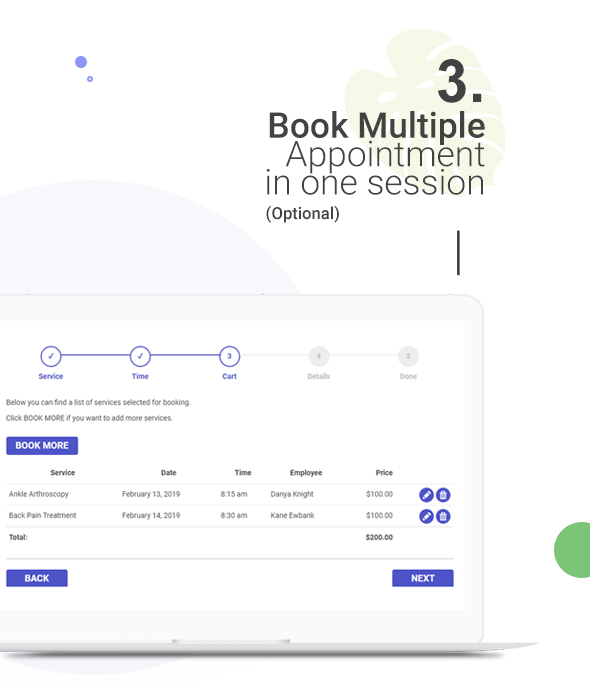
Multiple bookings
At this stage, the customer enters his information. Name, telephone number and e-mail address. These fields are default options. You can add others to suit your needs. The customer also chooses a payment option for the booking in this step.
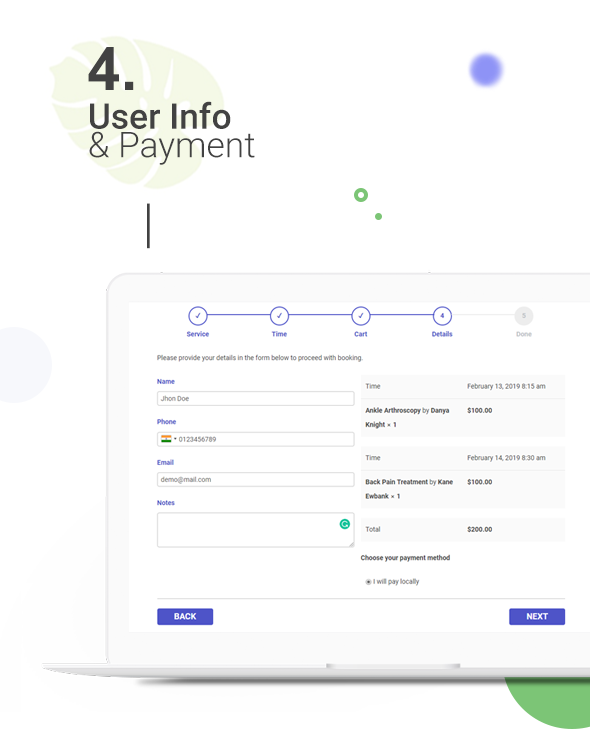
User details and payment
He can add online payment options for customers, and customers can also choose an offline payment option (payment at the appointment).
You can also offer your customers a promotional code, to give them a discount on any service. Your customers can apply the promotional code at the “User information and payment” stage of the booking process. The discount code option will only appear in the service that has been offered. You can create and manage discounts.
A confirmation message appears with the confirmed appointment. You can modify this message. When the appointment is confirmed, if you have set up notifications (highly recommended), a confirmation e-mail and a text message (SMS) with booking details are sent to the customer.
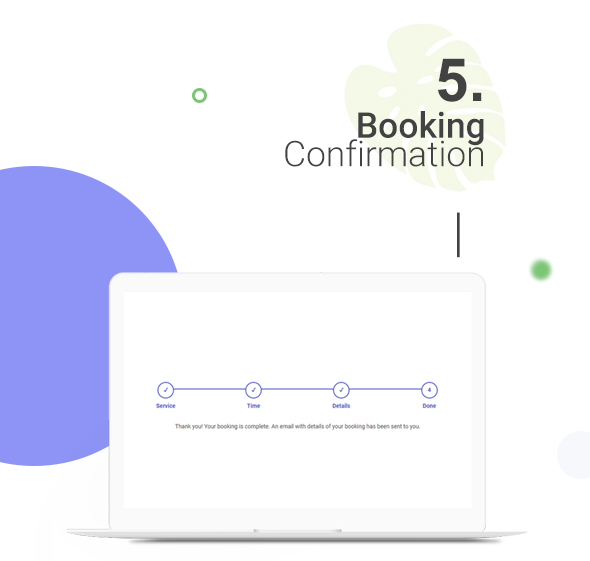
Reservation confirmation

